Receipt archiving for freelancers and micro businesses
A lightweight filing system for receipts: folders, file names, a weekly routine, backups, and accountant handoff.
5 min read · Updated
In short
A receipt archive needs year and month folders, file names with the date, vendor and amount, and a five-minute weekly check. Keep an Excel or CSV summary next to the images and back everything up in two places, so any document can be found within a minute.
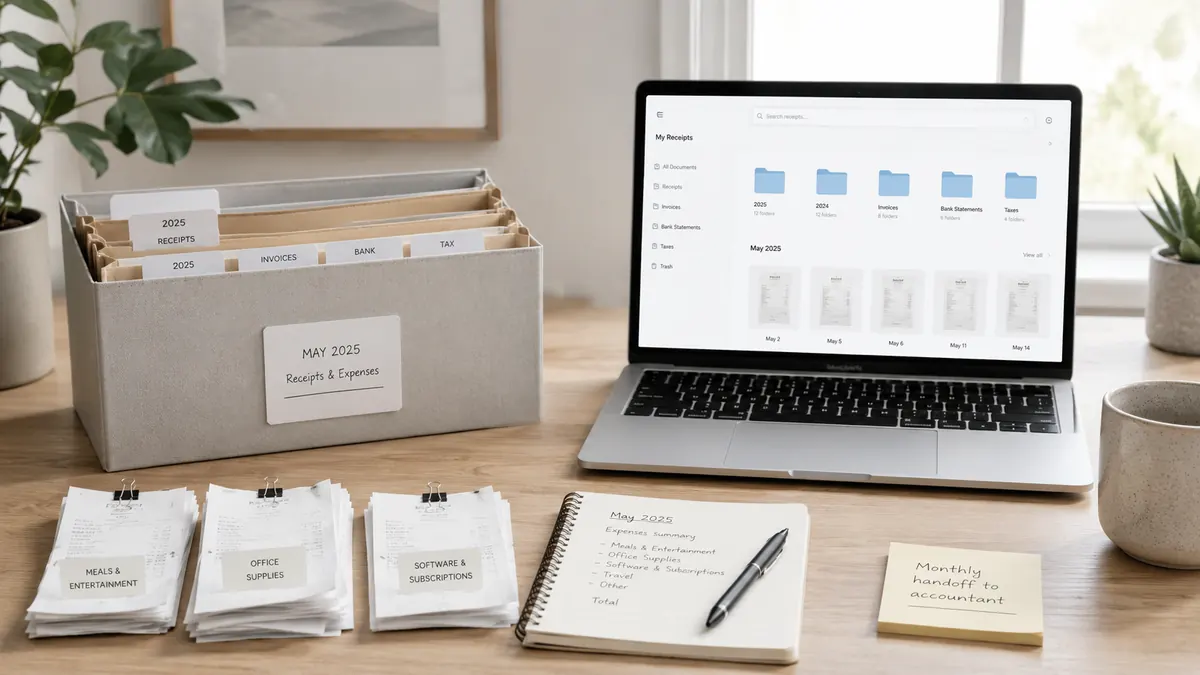
Freelancers and micro businesses often postpone receipt filing because the work is busy and receipts arrive from everywhere: email attachments, phone galleries, wallets, and messaging apps. By month end that mess costs time and leads to missed deductions. A small, consistent system removes most of the problem.
Why you need a system
In a one-person business, "I'll deal with it later" is the most expensive method. A lost receipt is an expense you cannot claim. A scattered archive also slows down work with your accountant and makes documents hard to find during a review. Your goal should be to locate any document within a minute.
Folder structure
A simple structure by year and month, optionally split by category, is enough for most businesses:
2026/07-travel2026/07-software2026/07-office2026/07-meals
This layout is easy to scan on both a computer and cloud storage. Keeping invoices and receipts in separate subfolders also reduces confusion between paper and electronic documents.
File naming
Putting the date, vendor, and total in the file name makes search fast. Pick one pattern and use it for every document:
2026-07-03-market-abc-125-50.jpg2026-07-05-fuel-shell-40-00.jpg
Starting with the date in YYYY-MM-DD format keeps files in chronological order. This small habit means typing a vendor name into search instantly returns every related document.
A five-minute weekly routine
Instead of fighting dozens of documents once a month, spend five minutes each week. This short checklist keeps things current:
- Are there new receipts this week, and are they all filed?
- Are the photos readable, with no cut-off corners?
- Are the total and date correct?
- Has a category been assigned to each one?
- Did you add a short note where the business purpose might be unclear later?
Meals, travel, and client meetings are especially easy to forget, so a "notes" field matters.
Common mistakes
- Keeping only the photo: an image alone is not searchable. Keep an Excel/CSV summary next to it.
- Delaying thermal receipts: photograph them before they fade, ideally the same day.
- A single copy: a lost phone can wipe the whole archive.
- Inconsistent naming: a different pattern on each file makes search useless.
Backups and privacy
Keep the archive in at least two places, such as a local disk and a trusted cloud folder. Limit access, because receipts can contain names, addresses, or card fragments; do not share them with people who do not need access. For long-term rules, see receipt and invoice retention practices.
Monthly accountant handoff
An ideal archive has three parts: the image file, an Excel/CSV record, and, if needed, a final file sent to your accountant. When turning receipts into a table, examples for importing receipts into Excel and the guide to fixing OCR errors speed up the process.
This article is general information. Retention periods and deductibility depend on your business type and local rules; consult a qualified accountant when unsure.